Skip to content
Introduction: Why Your AI Prompts Aren’t Working (And How to Fix That)
Ciao a tutti, Giuseppe here!
You know that frustrating moment when you ask ChatGPT to “analyze my data” and it gives you the most generic, useless response imaginable? Or when you spend 20 minutes trying to get Claude to help with your protocol, only to end up more confused than when you started?
I’ve been there. When I first started experimenting with AI tools, I thought these models were overhyped. I’d paste my research questions, hit enter, and get back… well, nothing particularly helpful. It felt like I was wasting more time wrestling with AI than if I’d just done the work myself. But here’s what I eventually realized: the problem wasn’t the AI. The problem was my prompts.
Once I learned prompt engineering for scientists (defining the AI’s role, being specific about methodology, providing context) everything changed. Suddenly, ChatGPT for research went from “interesting but not that useful” to an actual superpower in my workflow. That transformation is exactly why I built this free AI tool for science: BioPrompt Studio.
What Is BioPrompt Studio? A Free AI Tool for Science
BioPrompt Studio is an interactive and free AI tool for science I developed specifically for biologists and life scientists to learn prompt engineering through hands-on practice. Unlike generic prompt generators that just spit out ready-made prompts, this AI prompt builder is designed to teach you how to think about prompting. It’s educational first, practical second.
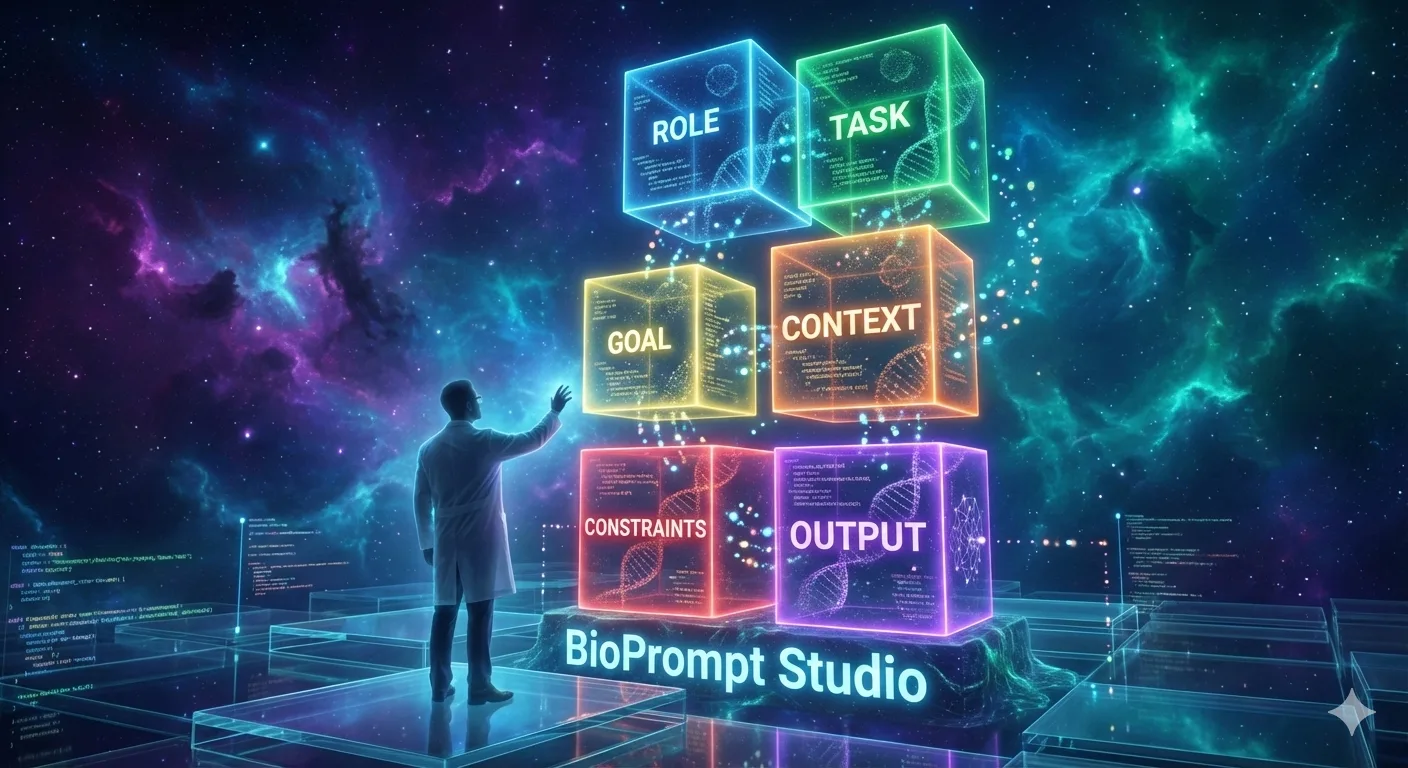
The tool breaks down prompts into six essential components—Role, Task, Goal, Context, Constraints, and Output Format—and lets you experiment with each one to see how they affect AI responses. Think of it as a sandbox Think of it as a sandbox where you can learn how to write AI prompts by doing, not just by reading theory.


Why Another Prompt Tool? (And Why This One’s Different)
Here’s my philosophy: giving you a pre-written prompt might solve your immediate problem, but it won’t help you next week when you face a different challenge. Generic prompt generators can’t know the specifics of your experimental setup, your data constraints, or your regulatory requirements. Only you know those details.
That’s why BioPrompt Studio focuses on teaching principles rather than generating cookie-cutter solutions. The tool shows you what good AI prompts for scientists look like, helps you understand why they work, and trains your brain to structure requests that get results. If you want to dive deeper into the fundamentals of prompt engineering for biology, check out my complete guide on AI Prompts for Biology: Master Prompt Engineering.
For those interested in the broader theory and advanced techniques beyond biology, this Guide offers a comprehensive deep dive into the field.
How to Use BioPrompt Studio: Your Free AI Tool for Science
Step 1: Choose Your Role
The first thing you’ll do is select your professional role from a dropdown menu. Are you a Research Scientist? QA/QC Specialist? Technical Support? Sales Specialist? The tool offers 11 different life science roles, and your selection customizes the entire experience.

This makes it possible to generate specific examples tailored for the specific role. If your role isn’t present, you can still use it, but you won’t be able to generate specific examples for that role.
Step 2: Build Your Prompt Section by Section
This is where the learning happens. BioPrompt Studio presents six sections, each representing a critical component of an effective prompt:
Role – Define who the AI should be (expertise, background, communication style)
Task – Specify what action to perform (with methodology and parameters)
Goal – Explain why this matters (purpose and desired outcome)
Context – Provide background (study design, prior findings, constraints)
Constraints – Set boundaries (rules, limitations, requirements)
Output Format – Define how to present results (structure, organization)

Each section includes helpful features:
- Word count guidance showing ideal ranges (e.g., “Target: 40-60 words”)
- Live word and character counters as you type
- Tooltips explaining what content belongs in each section

Step 3: Use AI-Powered Learning Features
Here’s where BioPrompt Studio gets really useful. Each section has three buttons:
Generate Example – Stuck? Click this and AI generates a professional-quality example for that section based on your selected role. If you’ve already filled in other sections, the generated content will be coherent with them (no prompts about breast cancer in the Role and lung cancer in the Task).

Improve – Written something but it feels vague? Click Improve and AI enhances your text, adding specificity and structure while maintaining your core intent. This is incredibly educational, you can see exactly what makes a prompt better by comparing your original to the improved version.

Clear – Start fresh with one click.
Step 4: Test and Compare
Once you’ve built your prompt, click “Compile Prompt” to see all sections combined into one complete prompt. Then hit “Run Prompt” to send it to AI and see the response.

Here’s the powerful part: you can save responses and compare them side-by-side. Change one section of your prompt, run it again, and see exactly how that modification affected the AI’s answer. This direct comparison is how you truly learn what works.

Want to see how adding more context improves responses? Or how being more specific in your constraints changes the output? Test it, compare it, learn from it.
PS: copy and paste your prompt in other AI tools for scientific research like ChatGPT, Claude and Gemini to see how different models give different answers (give it also a try with the thinking mode).
Step 5: See Real Examples from Different Roles
At the bottom of the tool, you’ll find five complete, professionally-crafted example prompts spanning different life science roles:
- Analyze Research Data (Research Scientist)
- Troubleshoot Technical Issue (Technical Support Specialist)
- Prepare Regulatory Submission (Regulatory Affairs Specialist)
- Design Validation Protocol (QA/QC Specialist)
- Create Product Proposal (Life Science Sales Specialist)


Each example is fully coherent across all six sections, giving you a benchmark for what excellent AI prompts for life sciences look like.
Why Learning Prompt Engineering Actually Matters for Biologists
I get it! You didn’t become a biologist to learn yet another technical skill. You’re already juggling experiments, data analysis, literature reviews, grant writing, and probably teaching or mentoring too. Why add prompt engineering to that list?
Because AI is already transforming how biology gets done (check out this recent publication from Nature). The question isn’t whether AI will impact your work, it’s whether you’ll know how to use it effectively when it does. And unlike learning to code (which many biologists find intimidating), learning prompt engineering is fundamentally about clear communication. You’re already an expert at explaining your research to colleagues, reviewers, and collaborators. Prompt engineering applies those same skills to communicating with AI.
The difference between a vague prompt and a well-structured one is the difference between getting generic Wikipedia-level responses and getting specific, actionable insights tailored to your exact experimental setup. It’s the difference between AI being a party trick and AI being a genuine productivity multiplier in your workflow.

If you’re wondering whether AI will replace biologists, the answer is no, but biologists who know how to leverage AI tools for science effectively will have a significant advantage over those who don’t.
What You’ll Learn Using BioPrompt Studio
After spending time with the tool, you’ll develop an intuitive understanding of:
How structure improves results – Why organized prompts consistently outperform rambling requests
The power of specificity – How replacing “analyze data” with “analyze RNA-seq data using DESeq2 with p<0.05 and |log2FC|>1.5” transforms AI responses
Why context matters – How providing experimental background helps AI generate relevant, insightful answers instead of generic advice
The role of constraints – How setting clear boundaries keeps AI focused on what you actually need
You’ll also start to see patterns in what works. Good prompts tend to be concise, specific rather than vague, and structured around a single coherent scenario. These aren’t abstract principles, they’re patterns you’ll internalize through repeated practice with the tool.
Prompt engineering is just one of several non-coding AI skills that can boost your biology career, but it’s arguably the most fundamental because it unlocks your ability to use every other AI tool effectively.
Who Should Use BioPrompt Studio?
This tool is designed for life science professionals across the full spectrum of roles:
- Research Scientists analyzing data, designing experiments, writing manuscripts
- PhD Students and Postdocs learning to leverage AI for their research
- Technical Support Specialists helping customers troubleshoot complex issues
- Application Scientists optimizing protocols and demonstrating products
- QA/QC Specialists designing validation protocols and ensuring compliance
- Regulatory Affairs Specialists preparing submissions and compliance documents
- Sales Specialists creating proposals and demonstrating ROI
- Product Managers defining requirements and analyzing markets
Whether you’re in academia or industry, BioPrompt Studio helps you translate your domain expertise into prompts that get results. And because this free AI tool for science is role-specific, you’ll see examples and guidance relevant to your actual work, not generic scenarios that don’t quite fit.
Real Use Cases: What Can You Do with This AI Prompt Builder?
Let me give you a few concrete examples of how biologists are using structured prompts (and how this prompt builder for science helps you learn to write them):
Data Analysis: Instead of “help me analyze my RNA-seq data,” you’ll learn to specify the exact comparison (drug-resistant vs. sensitive cell lines), methodology (DESeq2), statistical thresholds (adjusted p<0.05, |log2FC|>1.5), and desired output format (volcano plot + heatmap). The AI can then provide specific, actionable analysis recommendations.
Protocol Writing: Rather than “write a methods section,” you’ll provide the experimental details (flow cytometry, 4-color panel, T-cell activation study), constraints (500-word journal limit, must include antibody clones), and format requirements (subsections for Sample Prep, Staining, Analysis).
Troubleshooting: Instead of “my qPCR isn’t working,” you’ll describe the specific issue (inconsistent Ct values, SD>1.5 across technical replicates), provide context (recent reagent lot change), and request systematic diagnostic steps.
The tool teaches you to think through these elements systematically, so when you face a new challenge, you instinctively know how to structure your request.
Getting Started: Access This Free AI Tool for Science
Ready to level up your prompt engineering skills? Here’s how to get started:
BioPrompt Studio is completely free and available exclusively to CuriosityBloom newsletter subscribers. When you sign up, you’ll receive immediate access to the tool along with:
- Practical AI insights for biology professionals every two-four weeks
- Tool reviews and recommendations
- Tutorials and tips (and yes, a bit of humor too)
No credit card required. No commitment. Unsubscribe anytime. Just practical content to help you work smarter with AI.
Once you’re subscribed, you’ll get instant access to BioPrompt Studio and can start practicing immediately.
A quick note about the tool: Since BioPrompt Studio is completely free, it operates with limited API calls to keep it accessible to everyone. If you find the tool temporarily unavailable or slower than usual, it simply means request volume is high at that moment. Just wait a few minutes and try again, it’s worth it!
The Bigger Picture: AI Skills and Your Career
We’re at an interesting moment in biology. AI tools for biology are becoming more capable, more accessible, and more relevant to everyday research and industry work. But most biologists haven’t had formal training in how to use them effectively. That gap represents both a challenge and an opportunity.
The challenge is that if you don’t develop these skills, you’ll find yourself at a disadvantage compared to colleagues who do. The opportunity is that right now, the bar is still relatively low. Becoming proficient with AI tools like ChatGPT, Claude, and others can genuinely set you apart.
Understanding how AI is impacting biology jobs helps you see where the field is heading. Prompt engineering in science is one of those rare skills that’s both immediately useful and increasingly valuable over time. As AI models get better, knowing how to communicate with them effectively becomes even more important, not less.
BioPrompt Studio is my contribution to helping biologists build that skill. I’m not selling anything, I’m not gatekeeping knowledge, I’m just sharing a tool that I wish had existed when I was struggling with AI when I started.
What’s Next?
I’m actively developing BioPrompt Studio based on user feedback.
If you have suggestions or feature requests after using this free AI tool for science, I’d love to hear them. The best way to reach me is through the contact form you can find here.
Your Turn
The difference between struggling with AI and using it as a genuine productivity multiplier often comes down to one thing: knowing how to ask the right questions in the right way. Prompt engineering isn’t magic, it’s not complicated, and it’s definitely not just for computer scientists. It’s a learnable skill that every biologist can master with practice.
BioPrompt Studio gives you that practice in a structured, guided environment. Whether you’re analyzing data, troubleshooting experiments, writing protocols, or preparing presentations, the ability to craft effective prompts will serve you well.
So here’s my challenge: spend 20 minutes with the tool this week. Pick one task from your actual work, build a prompt for it using BioPrompt Studio’s framework, and see what kind of response you get. I think you’ll be surprised at the difference structure makes.
Get Started with BioPrompt Studio
Subscribe to the Curiosity Bloom newsletter and get instant access to BioPrompt Studio, along with practical AI insights delivered to your inbox every two weeks.
Free | Every 2-4 weeks | Unsubscribe anytime
Drop a comment below: What’s the biggest challenge you face when trying to get useful responses from AI tools? I’d love to hear about your experiences.
Share this post: If you know any biologists or life scientists who could benefit from better prompt engineering skills, feel free to pass this along.

FAQ: Your BioPrompt Studio Questions Answered
Is BioPrompt Studio really free, or is there a paid tier later?
It’s genuinely free. No hidden costs, no surprise upgrades, no credit card required. I built this as an educational resource for the biology community, not as a revenue stream. The only “cost” is subscribing to the newsletter, which is also free and contains useful content.
Do I need coding experience to use this tool?
Not at all. If you can write an email, you can use BioPrompt Studio. The whole point is to make AI accessible to biologists without requiring technical skills. Everything is point-and-click with clear guidance at every step.
How is this different from just using ChatGPT’s prompt suggestions?
ChatGPT and similar tools might suggest improvements to your prompts (openai prompt engineering guide), but they don’t teach you the underlying structure or principles. BioPrompt Studio breaks prompts into components, shows you what each piece does, and lets you experiment to see how changes affect results. It’s educational, not just functional.
Can I save my prompts and use them later?
Yes, you can save prompts and compare different versions side-by-side. This is incredibly useful for understanding what works. You can also copy any prompt you build and use it directly in ChatGPT, Claude, or any other AI tool you prefer.
What if my specific role isn’t listed in the dropdown?
The 11 roles cover a broad spectrum of life science professionals, from research to regulatory to commercial functions. If your exact title isn’t listed, choose the role that most closely matches your primary responsibilities. The examples and guidance will still be relevant, and you can customize everything to fit your specific needs.
Related Posts: